Takes less time than the page would have taken to load anyway.
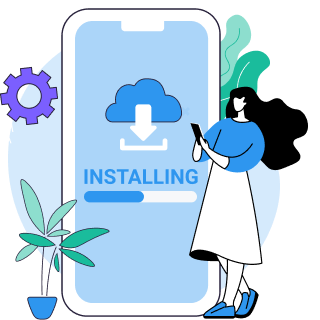
Download VPN Super and create an account. It's available on iOS, Android, Windows, and Mac.
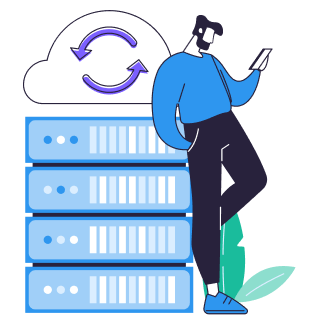
Open the app and connect to a server outside your current network's restrictions. Any location where Wikipedia isn't blocked will work.

Open Wikipedia in your browser or app as usual. Your connection now routes through VPN Super, so the block never sees your request.
Pro tip: If Wikipedia still won't load after connecting, especially on a network with heavy content filtering, switch to the V2Ray or Super protocol. Both are built to get through deep packet inspection and are available on iOS and Android. Windows and Mac don't support V2Ray or Super protocol; try Auto or WireGuard instead.

Most schools and universities run network-wide content filters that block categories of sites by default, and reference sites like Wikipedia sometimes get caught in the sweep. This is a local network policy, not a government restriction, and a VPN routes around it the same way it would any other network-level block.
Wikipedia has been fully blocked in China since April 2019. The block is still active: in July 2025, the Wikimedia Foundation reported that China had blocked its bid for observer status at the World Intellectual Property Organization, a sign the restriction hasn't lifted. Connecting to a VPN Super server outside mainland China restores access.
Company networks often restrict non-work sites to manage bandwidth or limit distractions, and Wikipedia can end up on that list even though it's a reference tool. The fix is the same as for school networks: connect through VPN Super and the filter no longer sees what you're accessing.
Wikipedia's access history outside China is uneven, not uniform. Turkey blocked the site entirely from April 2017 to January 2020, before its Constitutional Court ruled the block unconstitutional and access was restored. Pakistan still blocks Wikimedia Commons specifically, even though the rest of Wikipedia has been accessible there since June 2025. India's Delhi High Court ordered an article removed in October 2024; the Supreme Court overturned that ruling in May 2025. Indonesia blocked access for a stretch in early 2026 over a domain-authentication requirement, resolved in April 2026 once Wikimedia completed the registration. A VPN gets around each of these, but check the current status for your specific country before assuming the worst, since the details shift.
| Issue | Solution guidance |
|---|---|
| Wikipedia still won't load after I connect | Try a different server location. Some locations get blocked or throttled before others, especially on heavily filtered networks, so switching to another nearby location often clears it up. |
| Wikipedia loads, but very slowly | Use Fastest Location to connect to a nearby server instead of one further away. Some slowdown is normal with any VPN since your traffic is encrypted and rerouted, but picking a closer server usually helps. |
| Wikipedia is blocked even on a heavily filtered network like a workplace or school firewall with deep packet inspection | Switch to V2Ray or Super protocol if you're on iOS or Android. Both are designed to get through advanced content filtering that standard protocols can't. On Windows or Mac, try Auto, OpenVPN, or WireGuard instead, since V2Ray and Super protocol aren't available on those platforms. |
| The VPN app itself won't connect on my school or work Wi-Fi | Some networks block VPN traffic outright, not just Wikipedia. Try switching protocols in the app. OpenVPN or WireGuard sometimes gets through where another protocol is being blocked. |
| Wikipedia asks me to log back in after I connect | This is normal Wikipedia session behavior, not something VPN Super caused. Connecting through a VPN changes your network route, not your Wikipedia account or login state. |
| I can't find a connect button in the Windows or Mac app on the free plan | VPN Super's free plan is available on iOS and Android only. Windows and Mac apps require a Premium subscription. |
| Wikipedia looks blocked, but only in one browser | Clear that browser's cache and DNS settings, or try a different browser with VPN Super still connected. Sometimes a browser holds onto an old, blocked DNS result even after your network route has changed. |
Built to get around network-level blocks, not just geo-restrictions.

Wherever the block is happening, from a school firewall to a national restriction, there's almost always a nearby server location outside it. Connect there and Wikipedia loads like normal.

Cover your phone for the walk to class and your laptop for the essay that's due after it. One VPN Super subscription protects up to 10 devices at once.

Standard protocols get fingerprinted and blocked on networks that run deep packet inspection. V2Ray and Super protocol are built specifically to get through that kind of filtering, on iOS and Android.

iOS and Android include Auto mode plus IKEv2, OpenVPN, and V2Ray. Windows offers Auto, OpenVPN, and WireGuard. Mac connects over WireGuard. If one protocol gets blocked on your network, switch to another without leaving the app.

On Windows and Mac, VPN Super keeps your DNS and IPv6 traffic routed through the encrypted tunnel instead of leaking outside it, so the network you're connected to can't see what you're actually requesting.

On Android, choose which apps go through VPN Super and which don't. Keep Wikipedia and your browser tunneled while everything else runs on your normal connection.

You don't need to commit to anything to try it. VPN Super's free plan runs on iOS and Android, so you can unblock Wikipedia on your phone before deciding whether to upgrade.
VPN Super's free plan is available on iOS and Android. Windows and Mac apps require Premium.
| Feature | Free VPN | Premium subscription |
|---|---|---|
| Wikipedia access on a blocked network | Yes, on iOS and Android | Yes, on iOS, Android, Windows, and Mac |
| Platforms supported | iOS, Android | iOS, Android, Windows, Mac |
| Protocols available | Auto, IKEv2, OpenVPN, V2Ray, Super protocol (iOS/Android) | Same on iOS/Android, plus Windows (Auto, OpenVPN, WireGuard) and Mac (WireGuard) |
| DNS and IPv6 leak protection | Not applicable, Windows/Mac only feature | Yes, on Windows and Mac |
My university locked down half the internet during exam week. VPN Super was the only thing that got me back into Wikipedia for my citations.
Our office Wi-Fi blocks almost everything that isn't work-related, Wikipedia included. Connected once and never had to think about it again.
Was traveling somewhere Wikipedia wasn't loading and just switched servers. Didn't lose access for the whole trip.
Wikipedia isn't licensed or region-locked content, so using a VPN to reach it doesn't raise the same questions that come up with streaming services. VPN legality itself still depends on where you are, since a small number of countries restrict or ban VPN use outright, so check your local laws rather than assume it's fine everywhere.
It happens for a few different reasons. China has fully blocked Wikipedia since April 2019. Other countries have blocked specific articles or pages rather than the whole site, or applied short-term restrictions tied to a legal dispute, like India's 2024 court order that was later overturned. The mechanism differs by country, so a blanket answer doesn't really apply.
That's almost always a local network filter set up to block broad categories of sites, not a decision aimed at Wikipedia specifically or a government restriction. A VPN gets around network-level filtering regardless of why the filter was set up.
No. A VPN only changes how your traffic is routed to reach Wikipedia. It doesn't touch your account, your login state, or your edit history. If you're dealing with a "you've been blocked from editing" notice from Wikipedia itself, that's a separate system tied to your account or IP, not something a VPN resolves.
VPN Super's free plan works on iOS and Android and can unblock Wikipedia on those platforms. If you're on Windows or Mac, you'll need Premium, since the free plan isn't available on desktop.
Start with Auto and let the app pick for you. If Wikipedia still won't load, switch to V2Ray or Super protocol on iOS or Android, both built for networks with heavy content filtering. Windows and Mac don't have those two protocols, so try OpenVPN or WireGuard there instead.
Some slowdown is normal with any VPN, since your traffic is encrypted and routed through a server before it reaches Wikipedia. Using Fastest Location to connect to a nearby server usually keeps the difference barely noticeable.
Yes. The block has been in place since April 2019. In July 2025, the Wikimedia Foundation reported that China had blocked its bid for observer status at the World Intellectual Property Organization, a sign the restriction is still active.
Up to 10 devices per subscription.
Yes. Windows supports Auto, OpenVPN, and WireGuard, and Mac connects over WireGuard, both with DNS and IPv6 leak protection built in. Neither platform has V2Ray or Super protocol, so on a very heavily censored network, iOS or Android may get through where desktop doesn't.
A proxy reroutes your browser traffic for one app or site, and usually without encryption. A VPN reroutes and encrypts everything leaving your device, at the network level, so it works the same way whether you're opening Wikipedia in a browser or an app, and doesn't leave the rest of your connection exposed.