Get connected on any device you use for work, in a few taps.
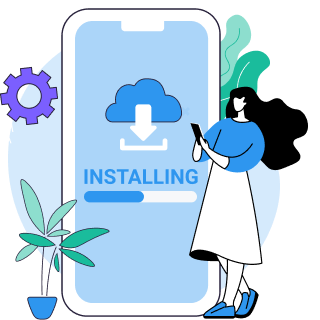
Download and install VPN Super on your phone, tablet, or computer.
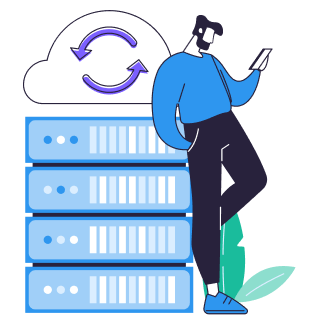
Open the app and connect. On a restricted network, switch to the Super protocol or V2Ray on the home screen for better results.

Open Notion and pick up where you left off, on the web or in the app.
Tip: if Notion loads slowly right after connecting, try Fastest Location or switch servers. Some speed reduction is normal with any VPN because of encryption and routing.
Notion's own status account confirmed a block by China's Great Firewall in May 2020. Access was largely restored within about a day, though independent monitor GreatFire.org's more recent spot-tests still show some notion.site pages blocked or unreliable.
Some school networks filter collaboration tools that aren't on an approved software list, which can catch Notion along with other outside apps.
Access inside mainland China can become unreliable again around politically sensitive dates, even without a new, publicized block.
Corporate firewalls sometimes restrict tools outside the company's approved stack. That can block Notion even though nothing is wrong with your account.
| Issue | Solution guidance |
|---|---|
| Notion won't load at all on your current network | Connect to VPN Super and switch to the Super protocol or V2Ray on the home screen, then reload Notion. |
| You just connected to VPN Super but Notion still won't load | Notion's own help center recommends turning off any VPN or firewall software first to rule out a local conflict. If Notion still won't load once it's off, reconnect VPN Super and try a different server. |
| Notion loads, but pages take a long time to sync | Some speed reduction is normal with any VPN because of encryption and routing. Try Fastest Location for the best available speed. |
| Notion works on one network but not another | Wi-Fi and mobile data can each apply their own filtering rules. Reconnect VPN Super after you switch networks, and try a different protocol if the first one doesn't get through. |
| Notion syncs on one device but not another | Make sure VPN Super is connected on every device you use for Notion. You can run it on up to 10 devices under one subscription. |
| You get a connection error inside Notion after connecting | Try a different nearby server. Then reload the page. |
| Notion was working, then suddenly stopped | Check Notion's own status page for an outage before assuming it's your connection. If Notion is up, reconnect VPN Super and try again. |
Practical features for people who need Notion to just work.
On iOS and Android, switch to the Super protocol or V2Ray to get through networks that block regular VPN traffic, including the Great Firewall.
Connect to nearby, lower-latency servers in Hong Kong, Japan, Singapore, or Malaysia instead of routing through a distant location.

Run VPN Super on up to 10 devices under one subscription, so your laptop, phone, and tablet all stay synced with Notion.

VPN Super doesn't keep activity logs. What you're working on in Notion stays between you and your workspace.
On Windows and Mac, DNS and IPv6 leak protection keeps your traffic routed through the VPN instead of leaking outside it.
Choose from 100+ locations in 60+ countries, and switch whenever a server or network stops cooperating.

iOS and Android include a free version, so you can try VPN Super with Notion before upgrading to Premium for the Super protocol and V2Ray.
iOS and Android include a free version. Windows and Mac are Premium only.
| Feature | Free VPN | Premium subscription |
|---|---|---|
| Platforms | iOS and Android | iOS, Android, Windows, and Mac |
| Server locations | Limited selection | 100+ locations in 60+ countries |
| Devices per subscription | Limited | Up to 10 devices |
| Super protocol and V2Ray | Not included | Included on iOS and Android |
| DNS and IPv6 leak protection | Not included | Included on Windows and Mac |
| Activity logs | No activity logs | No activity logs |
Finally get Notion to load on the office Wi-Fi. Switched to the Super protocol and it just works now.
I travel for work often and kept losing access to my notes. VPN Super keeps my whole workspace synced no matter where I land.
Simple to set up, and it fixed the constant loading issues I had with Notion on campus Wi-Fi.
Notion's own status account confirmed a block from China's Great Firewall in May 2020, and access was mostly restored within about a day. Independent monitor GreatFire.org's more recent spot-tests still show some notion.site pages blocked or unreliable, so access can be unpredictable rather than fully or permanently blocked.
Managed networks often filter apps that aren't on an approved software list, which can catch Notion along with other outside tools even though nothing is wrong with your account. VPN Super routes around that kind of network-level filtering.
Sometimes. Notion's own help center suggests disabling any VPN or firewall software first to rule out a local conflict. If Notion still won't load once your VPN is off, that points to a network-level block, which is what VPN Super is built to get around.
On iOS and Android, the Super protocol and V2Ray are built for networks that block regular VPN traffic, including the Great Firewall. Switch to one of them on the home screen if your usual connection isn't getting through.
iOS and Android include a free version. Windows and Mac are Premium only, with no free tier. The Super protocol and V2Ray, which work best against network-level blocks, are Premium features.
Up to 10 devices under one subscription, so your laptop, phone, and tablet can all stay connected and synced with your Notion workspace at the same time.
VPN Super doesn't keep activity logs, so the Notion pages you open and edit aren't logged on VPN Super's end. This doesn't change how Notion itself handles your data.
Some speed reduction is normal with any VPN because of encryption and routing. If Notion feels slow after connecting, try Fastest Location for the best available speed.
Yes. VPN Super protects your device's whole connection, so it works the same whether you open Notion in the desktop app, the mobile app, or a browser tab.
Try switching to a different server or protocol, particularly the Super protocol or V2Ray on iOS and Android. If it still won't load, check Notion's own status page in case the issue is on their end rather than your network.

Get back to your workspace, whether you're on a restricted network or on the other side of the world.