No manual setup, no configuration files. Install VPN Super, pick a server, then open Midjourney like normal.
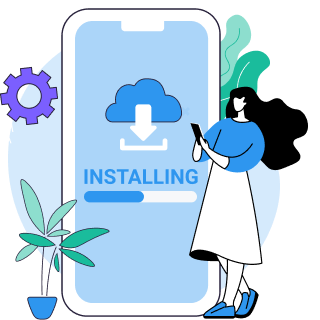
Get the app for iOS, Android, Windows, or Mac directly from vpnsuper.com or your app store.
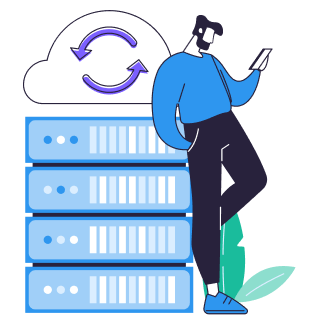
Pick Fastest Location, or any server outside a censorship region. You don't need to match a specific country.

Connect, then visit midjourney.com or open Discord as usual. VPN Super runs quietly in the background.
Use Fastest Location to auto-pick the lowest-latency server—every server also shows its current latency in milliseconds if you'd rather choose manually.
China, Iran, the UAE, Oman, and Egypt block Discord at the network level, and that block reaches Midjourney's Discord tools too.
Schools and offices often block Discord's domains outright for bandwidth or content-policy reasons, not any government order.
| Country | Status | Details |
|---|---|---|
| China | Blocked | Discord is blocked at the network level, taking Midjourney's Discord-based tools down with it. |
| Iran | Blocked | Discord is blocked at the network level, taking Midjourney's Discord-based tools down with it. |
| UAE | Blocked | Discord is blocked at the network level, taking Midjourney's Discord-based tools down with it. |
| Oman | Blocked | Discord is blocked at the network level, taking Midjourney's Discord-based tools down with it. |
| Egypt | Blocked | Discord is blocked at the network level, taking Midjourney's Discord-based tools down with it. |
| Issue | Solution guidance |
|---|---|
| Midjourney or Discord won't load in China, Iran, the UAE, Oman, or Egypt | This is Discord's network-level block, not a Midjourney restriction—Midjourney's Discord-based tools go down when Discord does. Connect to VPN Super, pick Fastest Location or any server outside the censorship region, then open midjourney.com or Discord as usual. |
| Midjourney or Discord is blocked at school or work | This is usually network-level filtering, not government censorship—schools and workplaces often block Discord's domains and ports outright for bandwidth or content-policy reasons. Connect to VPN Super to route around the block. |
| Midjourney or Discord feels slow after connecting | Some speed reduction is normal with any VPN because of the encryption and routing involved. Use Fastest Location to auto-pick the lowest-latency server, or choose manually using the latency in milliseconds shown next to each server. |
| Windows or Mac connection feels slow | Windows and Mac connect over WireGuard, a modern protocol built for lower overhead than older tunnel types, keeping the encryption layer's cost down. Windows also offers OpenVPN if you want to compare. |
The features that matter most when Discord or Midjourney access is on the line.
Built for heavily censored networks, so VPN Super stays connected where basic setups get blocked.
VPN Super keeps no record of your activity, extra peace of mind on a closely monitored network.
Fastest Location auto-picks the lowest-latency server, with current latency shown for every server.
Cover your laptop, phone, and tablet on one subscription, handy for managing generations across devices.
DNS and IPv6 leak protection ships on Windows and Mac, masking your real address if the tunnel hiccups.
Try VPN Super free on iOS or Android before upgrading—Windows and Mac stay Premium-only.
Windows and Mac connections run on WireGuard, a modern protocol built for lower overhead, so encryption costs less latency on the way into Midjourney.
Premium unlocks 64 countries / 104 locations on iOS, Windows, and Mac, and 58 countries / 78 locations on Android.
Android's Split Tunneling is app-based, so you can route only the apps you choose through VPN Super.
Free covers iOS and Android with ads and a smaller server list; Windows and Mac are Premium-only.
| Feature | Free VPN | Premium subscription |
|---|---|---|
| Server locations (iOS) | 20 countries / 42 locations (with ads) | 64 countries / 104 locations |
| Server locations (Android) | 15 countries / 26 locations (with ads) | 58 countries / 78 locations |
| Windows availability | 64 countries / 104 locations · OpenVPN, WireGuard | |
| Mac availability | 64 countries / 104 locations · WireGuard | |
| DNS & IPv6 leak protection | Not included | Included on Windows and Mac |
A lifesaver abroad! Fast, reliable, and secure. Access all your apps anywhere.
Fast, reliable, and works where others don't. Works across Asia, even China. Great for public Wi-Fi.
The best vpn app, it helps if you're in a country that banned a social media app
No, not anymore. Midjourney now runs a full website at midjourney.com, with sign-in through Google or Discord. Discord is only required if you specifically want to generate images inside a Discord server—everything else, including browsing and managing your generations, works entirely on the website. Good to know: images made in Discord and images made on the website live in separate places and don't sync with each other.
It isn't Midjourney that's blocked in China—it's Discord, blocked at the network level, and Midjourney's Discord-based tools go down with it. Reports from the South China Morning Post and Yahoo Finance say Midjourney also explored a China-specific product through WeChat at one point, though nothing came of it publicly—a reminder that "blocked" isn't always the full story.
Midjourney's public Terms of Service, reviewed August 2026, don't call out specific restricted countries the way some AI services do. That's not a guarantee access works everywhere—payment processors and local network restrictions can still apply—but the block most people hit traces back to Discord or their own network, not a written Midjourney country policy.
This is usually network-level filtering, not government censorship. Schools and workplaces often block Discord's domains and ports outright for bandwidth or content-policy reasons that have nothing to do with where you live.
Some speed reduction is normal with any VPN because of the encryption and routing involved. VPN Super's Fastest Location feature auto-picks the lowest-latency server, and every server in the list shows its current latency in milliseconds if you'd rather pick manually.
On iOS and Android, yes. VPN Super's free version includes ads and a smaller server list (20 countries / 42 locations on iOS, 15 / 26 on Android) next to Premium's 64 / 104 and 58 / 78. Windows and Mac are Premium-only, so there's no free version on those platforms.
VPN Super runs a no-activity-logs policy, and Windows and Mac connections include DNS and IPv6 leak protection. VPN Super also has 250K+ App Store ratings and 500K+ Google Play ratings. As with any censorship-related access, check your local laws before connecting from a restricted region.
Up to 10 devices per subscription, across iOS, Android, Windows, Mac, Android TV, and Apple TV—enough to cover a work laptop, personal laptop, and phone if you're managing Midjourney generations across all three.
Yes. Windows and Mac connect over WireGuard, a modern protocol built for speed, and Windows also offers OpenVPN if you want an alternative. That keeps encryption overhead low even on a longer route into a Midjourney session.

Download VPN Super and pick up right where a block left off.