Three steps from download to scrolling. No proxy strings inside the app, no network settings to change.
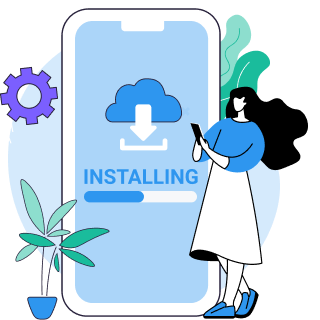
Get VPN Super for iPhone, Android, Windows, or Mac from the download page.
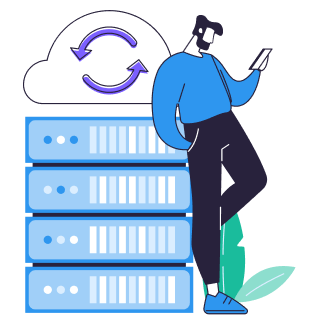
Open the app, sign in, and pick Fastest Location — or choose from 100+ locations in 60+ countries.
Tap Connect, wait a moment, then open Instagram. Photos, Reels, and DMs load through an encrypted tunnel.
Already have Instagram installed? Just connect VPN Super first — your account, photos, and followers stay exactly as they are.
Iran and China block Instagram nationally. VPN Super's obfuscated protocols keep working where standard VPNs get blocked.
Some Reels and Stories music tracks are licensed by country, so they're missing even when Instagram itself loads normally.
Schools, offices, and campus Wi-Fi often block Instagram to limit personal-app use during the day.
| Issue | Solution guidance |
|---|---|
| Instagram won't open after you connect | The server you picked may be busy or filtered. Switch to a different server in the VPN Super app and reconnect. |
| Instagram keeps timing out | Try a different protocol or pick a server with lower latency. Fastest Location auto-picks for you. |
| Feed, Reels, or DMs show stale content | Clear Instagram's cache, then reopen the app after reconnecting. |
| Instagram flagged my login as suspicious | Reconnect to the same VPN Super server each time using Recents in the server list, instead of switching servers every session. |
| Reels or Stories music is missing | Connect to a server in your home country — Instagram's music library is licensed regionally, not blocked. |
| App won't update on a blocked network | Connect VPN Super first, then open your app store. Some networks block app-store endpoints too. |
VPN Super is built for networks that block Instagram — obfuscated protocols, verified connections, and zero activity logs work together.

Super protocol and V2Ray on iOS and Android keep working where standard VPNs get blocked.
VPN Super tries protocols and servers in order until one connects, so you don't have to pick manually.
Let the app pick the server with the lowest current latency, so Reels and Stories load smoothly.

Check your live IP and map view any time to confirm the tunnel is active before you open Instagram.

VPN Super doesn't log what you do online. Your photos, DMs, and browsing stay your business.

One VPN Super subscription protects your phone, laptop, tablet, and TV, up to 10 devices at once.
The free VPN handles light Instagram browsing on iPhone and Android. Premium opens up the full network, speed, and device coverage.
| Feature | Free VPN | Premium subscription |
|---|---|---|
| Server locations | Limited selection | 100+ locations in 60+ countries |
| Speed | Standard | Priority routing + 10Gbps servers |
| Ads in the app | Shown between sessions | Ad-free |
| Devices on one account | 1 device | Up to 10 devices |
| Available on | iPhone, Android | iPhone, Android, Windows, Mac, Android TV, Apple TV |
The best vpn app, it helps if you're in a country that banned a social media app
This is one of the best apps you can get if you're trying to access content while travelling internationally.
You can use social media apps like Facebook, Instagram, TikTok, YouTube, etc. very well by connecting to this VPN
Yes. VPN Super encrypts your connection and routes it through one of 100+ locations, so networks that block Instagram at the school, workplace, or government level no longer see which app you're using.
Look for obfuscated, censorship-resistant protocols, a wide server spread, a strict no-activity-logs policy, and a money-back guarantee so you can test it on your own network. VPN Super's Auto protocol selection covers Super, IKEv2, OpenVPN, and V2Ray on iOS and Android.
VPN use is legal in most countries, including the United States, United Kingdom, Canada, Australia, and most of the EU. Some countries restrict VPNs or specific social platforms regardless of which app you use. VPN Super is built to protect your privacy, not to circumvent national regulations — always check the local rules where you are.
The server you picked may be busy or filtered. Switch to a different VPN Super server or try Fastest Location, then reopen Instagram. Clearing the app's cache can also help.
It changes the IP address Instagram sees, but if Location Services are enabled in the app, Instagram can still use your device's GPS. Turn off location access in Instagram's settings if you want your VPN server to be the only location signal.
The VPN Super free tier handles everyday Instagram browsing on iPhone and Android. Premium adds the full 100+ location network, ad-free use, and coverage for up to 10 devices at once.
Instagram's own security systems sometimes flag a login from a new location as suspicious. Reconnecting to the same VPN Super server each time gives you a consistent IP and usually resolves it.
Instagram licenses music separately by region, so some tracks aren't available everywhere. Connecting to a VPN Super server in your home country can restore the music library you're used to seeing there.
Yes. VPN Super for Windows protects Instagram in your browser the same way it protects the mobile app. The Mac app works the same way.
Up to 10 devices at the same time — enough for a phone, a laptop, a tablet, and a few more besides.
Get VPN Super in two minutes. Photos, Reels, and DMs load through an encrypted tunnel — with a 30-day money-back guarantee.