Switching your Play Store browsing region takes about as long as opening the app.
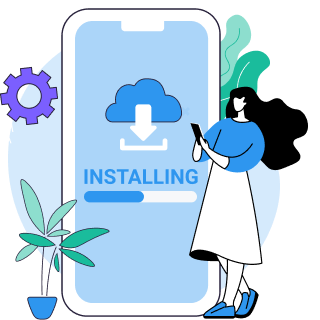
Download VPN Super from the App Store or Google Play, then open the app.
Connect to a server in the country whose Google Play catalog you want to browse.
Open Google Play. The app list, games, and pricing now match your connected region.
A VPN changes what you see on the Play Store right away. Changing your actual Google Play account country is a separate, slower process. Google requires a 90-day wait, a local payment method, and physical presence in that country. See the FAQ below before you try to switch your account instead of just browsing.
Google Play is fully, natively unavailable in a short list of countries, including China, Cuba, Iran, and Senegal. If you're in one of these, VPN Super can get you browsing a working version of the Play Store from a supported country.
Some internet providers filter or slow traffic to Google's services, which can make the Play Store feel unreliable even when it isn't region-locked. Connecting through VPN Super routes your traffic around that kind of interference.
For almost everyone else, Google Play works fine. What you see is tied to your browsing region, which Google detects from your IP address. That's different from your Google Play account country, which is tied to billing and can only be changed once every 90 days, with a local payment method and physical presence required. A VPN changes the browsing region instantly; it doesn't change your account country.
Workplace and school networks sometimes block app stores and app-update traffic outright. VPN Super gets you a working connection to Google Play even on a restricted network.
| Status | Countries / notes |
|---|---|
| Fully unavailable | China, Cuba, Iran, Senegal |
| Region-locked catalog only | Everywhere else. Google Play works, but the app list, games, and pricing depend on your browsing region |
| Issue | Solution guidance |
|---|---|
| My Google Play account country won't change | If you're in a Google Family Group, you can't change your account country at all. A VPN won't fix this. If you're not in a Family Group, remember the account-level change needs a 90-day wait since your last change, a local payment method, and physical presence in the new country. VPN Super switches your browsing region instantly, but it can't skip Google's account-country requirements. |
| Prices or certain apps still show my old country after connecting | This is normal. Your browsing region updates immediately over VPN, but your Google Play account's billing country doesn't move with it. Prices, and any purchase that depends on your billing country, will keep showing your original country until you go through Google's separate account-country change. |
| The Play Store still shows my old region's apps after connecting | Make sure VPN Super is connected before you open Google Play, then force-close the Play Store app and reopen it. If the catalog still looks the same, try connecting to a different server in the country you want. |
| I want extra protection while browsing Google Play's website on my computer | VPN Super's Windows and Mac apps include DNS and IPv6 leak protection. This is currently confirmed for Windows and Mac only, not iOS or Android. |
| Google Play won't load at all, even connected to VPN Super | Switch to a different server, or try the V2Ray protocol on iOS or Android if your network filters VPN traffic heavily. If nothing loads, the issue is likely local network-level blocking rather than your Google Play region. |
Built for the two things this actually takes: reliably reaching Google's servers, and giving you somewhere real to connect from.
VPN Super's iOS and Android apps include Auto, Super, IKEv2, OpenVPN, and V2Ray. V2Ray is built to get through the kind of deep-packet filtering that can interfere with reaching Google's Play Store and update servers, so your connection stays reliable even on tougher networks.
Connect to a server in the country whose catalog, app selection, or pricing you want to see. With this many regions available, you're not limited to one or two alternate catalogs.
Split Tunneling on Android lets you route only the Play Store app through the VPN, so your banking apps and everything else stay on your regular connection. Handy if you only want the Play Store itself to see a different region.
Switching a household's Google Play region is often a multi-device job. One VPN Super subscription covers up to 10 devices, so everyone's phone and tablet can browse from the same region.
VPN Super keeps no activity logs, so switching your browsing region isn't tracked or stored.
VPN Super has a free version on iOS and Android, so you don't need to pay just to browse a different region's Play Store. Premium adds more locations, Split Tunneling on Android, and coverage on Windows and Mac if you also want to browse Google Play's website from a computer.
| Feature | Free VPN | Premium subscription |
|---|---|---|
| Server locations | A limited set of locations | 100+ locations in 60+ countries |
| Split Tunneling (Android) | Not included | Included, routes just the Play Store app through the VPN |
| No activity logs | Included | Included |
| Platforms | iOS and Android | iOS, Android, Windows, and Mac |
Amazing app! I've been able to access different applications that were once banned in my region
Great VPN with fast speeds and instant connection. Has no timeout and has many locations as well.
This is one of the best apps you can get if you're trying to access content while travelling internationally.
Yes, for what you see. Google Play's browsing region is based on your device's IP address, and that's exactly what a VPN changes. Connect to a server in another country, and the Play Store's app list, game catalog, and prices switch to match. Your Google Play account country doesn't move with it, since that's tied to billing rather than your IP.
For most readers, no. Google Play is fully unavailable in only a short list of countries, including China, Cuba, Iran, and Senegal. Everywhere else, what looks like a block is usually a region-locked catalog or pricing, not an outright ban.
Download VPN Super, connect to a server in the country whose catalog you want, then open Google Play. The app list and prices update to match your connected region. If it doesn't refresh right away, force-close the app and reopen it.
A VPN changes your browsing region, which is IP-based and updates immediately. It doesn't change your Google Play account country, which is tied to your billing details and stored on Google's servers. If prices or certain apps are still tied to your old country, that's the account-country setting, not your VPN connection.
According to Google's own Play Store help page, "After you initially set your Google Play country, you must wait at least 90 days before you can change it. You must also wait at least 90 days between each subsequent change." That rule applies to your account country specifically, not the browsing region a VPN switches, which you can change as often as you connect to a different server.
Google's own help documentation doesn't prohibit using a VPN to browse the Play Store. Changing your account country is a separate process with its own requirements, including physical presence in the new country and a local payment method. This isn't legal advice. If you're unsure how this applies to you, check Google's current Play Store help pages directly.
You can. VPN Super's free version is available on iOS and Android, so you don't need to pay just to browse a different region's catalog. Not every free VPN app on the Play Store is trustworthy, though. Stick to VPNs with a clear No activity logs policy, and be cautious of free apps that ask for unusual permissions.
VPN Super's Windows and Mac apps can be used to browse the Google Play website from a different region. There's no native Google Play desktop app, since Google Play is a mobile app store, but browsing the site through VPN Super on your computer works the same way as on mobile.

Download VPN Super and start browsing Google Play from wherever you connect.